Skip to content
SkypeExchange4U
  • Teams Voice
  • Microsoft 365
  • Active Directory
  • Cloud
  • About
  • Contact
  • Terms and Conditions

SkypeExchange4U

Teams Direct Routing, SBC, and hybrid identity guides

Practical Microsoft Teams voice and Entra ID notes from real deployments. Call flow, SBC setup, and troubleshooting. No fluff.

SkypeExchange4U

SkypeExchange4U

Teams Direct Routing, SBC, and hybrid identity guides

Practical Microsoft Teams voice and Entra ID notes from real deployments. Call flow, SBC setup, and troubleshooting. No fluff.

  • Active Directory & Windows Server

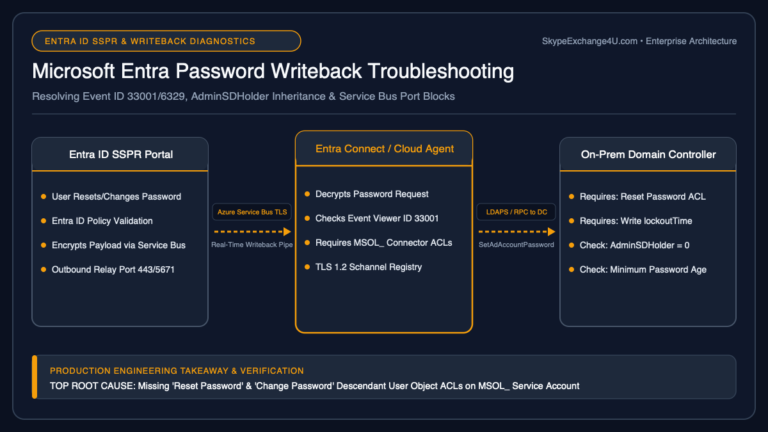
    Microsoft Entra Password Writeback Failure: Troubleshooting SSPR, Event IDs, AdminSDHolder & TLS Gotchas

    BySatya Pathak September 28, 2026September 28, 2026

    Deploying Self-Service Password Reset (SSPR) in Microsoft Entra ID (formerly Azure AD) is a major milestone for enterprise IT helpdesks. Users can reset their forgotten passwords from a web browser or the Windows login screen without calling support. However, in hybrid environments where Active Directory Domain Services (AD DS) remains the authoritative identity source, this…

    Read More Microsoft Entra Password Writeback Failure: Troubleshooting SSPR, Event IDs, AdminSDHolder & TLS GotchasContinue

  • Active Directory & Windows Server | Cloud & Azure

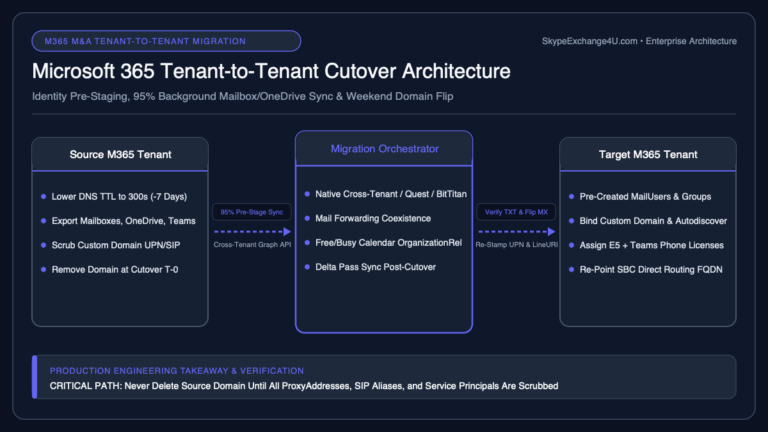
    Microsoft Entra Connect Sync Errors: Fixing Duplicate ProxyAddresses & ImmutableID Mismatches

    BySatya Pathak September 26, 2026September 30, 2026

    When directory synchronization fails between on-premises Active Directory and Microsoft Entra ID (Azure AD), user provisioning grinds to a halt. Passwords stop syncing, newly hired employees cannot access their cloud mailboxes or Microsoft Teams, and administrators are flooded with automated emails: “Synchronization Error: AttributeValueMustBeUnique” or “Identity synchronization error report”. The vast majority of Entra Connect…

    Read More Microsoft Entra Connect Sync Errors: Fixing Duplicate ProxyAddresses & ImmutableID MismatchesContinue

  • Authoritative vs non-authoritative Active Directory restore decision guide
    Active Directory & Windows Server

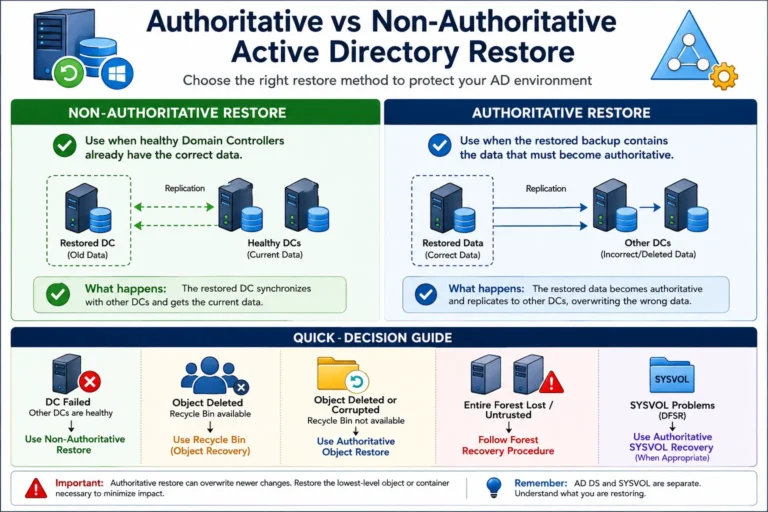
    Authoritative vs Non-Authoritative Active Directory Restore: Complete 2026 Guide

    BySatya Pathak August 22, 2026September 18, 2026

    Authoritative vs Non-Authoritative Active Directory Restore: Complete 2026 Guide Authoritative vs Non-Authoritative Active Directory Restore is one of the most important distinctions to understand before recovering Active Directory Domain Services (AD DS). The choice determines whether a restored Domain Controller should synchronize with healthy Domain Controllers or whether selected recovered directory data should become the…

    Read More Authoritative vs Non-Authoritative Active Directory Restore: Complete 2026 GuideContinue

  • Repadmin Active Directory replication dashboard connected to domain controllers
    Active Directory & Windows Server

    Repadmin Commands Every Active Directory Administrator Should Know

    BySatya Pathak August 21, 2026August 29, 2026

    When Active Directory replication stops working, the results are rarely subtle: password changes may not work everywhere, Group Policy can become inconsistent, user and group changes may appear to “disappear,” and administrators can receive conflicting results depending on which domain controller responds. Repadmin is the primary command-line tool for checking Active Directory replication health. This…

    Read More Repadmin Commands Every Active Directory Administrator Should KnowContinue

  • Active Directory & Windows Server

    DCDIAG Explained: 15 Active Directory Health Checks Every Admin Should Run

    BySatya Pathak August 20, 2026August 29, 2026

    DCDIAG is one of the most useful Active Directory diagnostic tools for Windows administrators. It checks the condition of domain controllers and helps identify DNS, replication, services, SYSVOL, network, and directory configuration problems before they affect users. Quick answer: Run dcdiag /v for detailed local domain-controller health, or use dcdiag /e /v to check domain…

    Read More DCDIAG Explained: 15 Active Directory Health Checks Every Admin Should RunContinue

  • Active Directory & Windows Server

    How to Troubleshoot Active Directory Replication: 10 Common Errors and Fixes

    BySatya Pathak August 19, 2026August 29, 2026

    Active Directory replication keeps users, passwords, groups, computers, and Group Policy data synchronized between domain controllers. When replication breaks, the symptoms can include login failures, password changes that do not work, missing Group Policy updates, and inconsistent directory data. Quick answer: Run repadmin /replsummary to identify failing domain controllers, then use repadmin /showrepl to read…

    Read More How to Troubleshoot Active Directory Replication: 10 Common Errors and FixesContinue

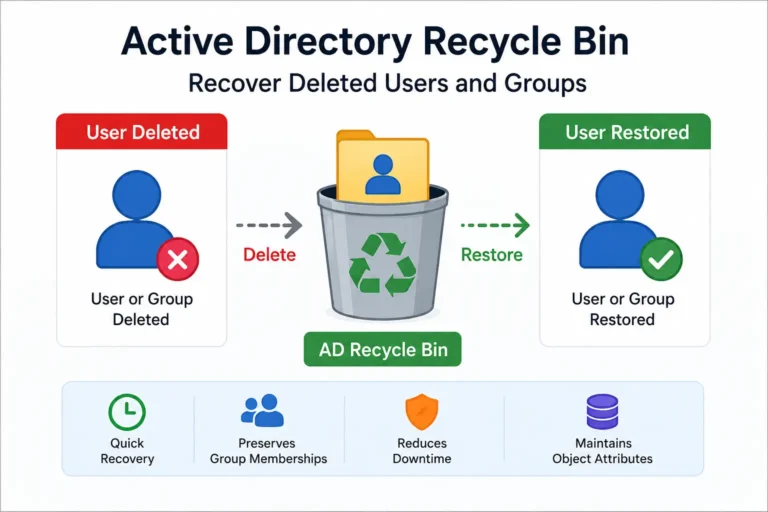
  • Active Directory Recycle Bin recovery of deleted users and groups
    Active Directory & Windows Server

    Active Directory Recycle Bin: Recover Deleted Users and Groups

    BySatya Pathak August 19, 2026August 29, 2026

    Short answer: Active Directory Recycle Bin allows administrators to recover deleted Active Directory users, groups, and other objects without having to rebuild them manually. When it is enabled before the deletion occurs, it can preserve important information about the deleted object and make recovery much easier. Accidentally deleting an Active Directory account is one of…

    Read More Active Directory Recycle Bin: Recover Deleted Users and GroupsContinue

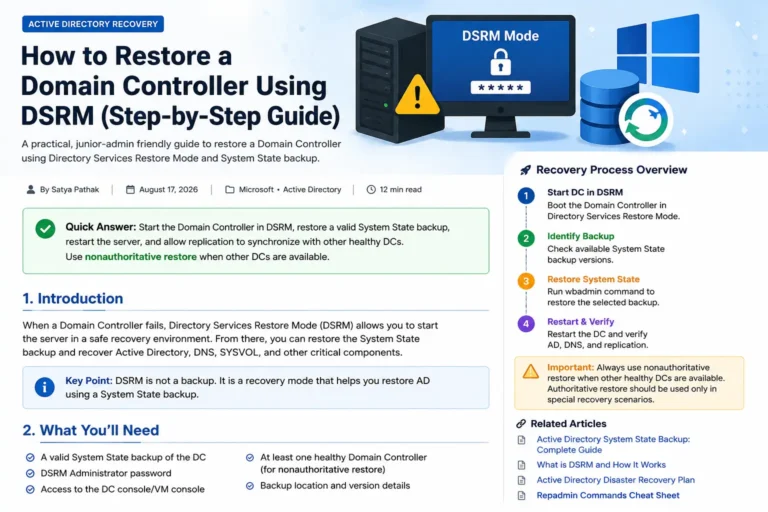
  • How to restore a Domain Controller using DSRM and System State backup
    Active Directory & Windows Server

    How to Restore a Domain Controller Using DSRM

    BySatya Pathak August 18, 2026August 29, 2026

    Short answer: Directory Services Restore Mode (DSRM) allows you to start a Windows Domain Controller without Active Directory Domain Services running. This gives you a recovery environment where you can restore the Domain Controller’s System State backup safely. Restoring a Domain Controller is one of those jobs that you hope you never have to perform….

    Read More How to Restore a Domain Controller Using DSRMContinue

  • Active Directory System State Backup complete guide
    Active Directory & Windows Server

    Active Directory System State Backup: Complete Guide

    BySatya Pathak August 17, 2026August 29, 2026

    If you manage Active Directory, one of the most important things you can learn is how to create a reliable backup of a Domain Controller. A System State backup protects important Domain Controller components such as Active Directory, SYSVOL, the Windows Registry, and other system components required for recovery. This guide keeps things practical. You…

    Read More Active Directory System State Backup: Complete GuideContinue

  • Step-by-step guide to backup and restore Active Directory
    Active Directory & Windows Server

    Step-by-Step Guide: Backup and Restore in Active Directory

    BySatya Pathak August 15, 2026August 29, 2026

      Active Directory is one of the most critical services in a Windows Serverenvironment. A reliable backup and recovery strategy can help you recoverfrom Domain Controller failures, accidental deletions, corruption, orother unexpected incidents. In this guide, you’ll learn how to back up and restore Active Directoryusing System State Backup andWindows Server Backup, including the difference…

    Read More Step-by-Step Guide: Backup and Restore in Active DirectoryContinue

AI, Cloud & Technology explained simply.

Independent AI and technology news, insights and tutorials.

Explore

Microsoft
Cloud
Technology
Tutorials

Facebook X Instagram

© 2026 SkypeExchange4U — SkypeExchange4U is an independent Microsoft 365 and enterprise-voice blog by Satya Pathak. Not affiliated with Microsoft, Skype, or SkyExchange.

  • About Us
  • Contact Us
  • Privacy Policy
  • Disclaimer
  • Terms and Conditions
Scroll to top
  • Teams Voice
  • Microsoft 365
  • Active Directory
  • Cloud
  • About
  • Contact
  • Terms and Conditions
Search