Direct Routing Vs Operator Connect Teams — Complete Step-by-Step Guide (Tested for 2026)
Why Direct Routing Vs Operator Connect Teams Early Saves Hours of Downtime
When migrating enterprise telephony to Microsoft Teams, organizations face three distinct PSTN connectivity architectures: Direct Routing, Operator Connect, and Teams Phone Mobile (formerly Operator Connect Mobile). While Microsoft’s native Calling Plans exist, their rigid per-user pricing, limited international footprint, and lack of legacy PBX integration make them viable only for small, single-country offices.
For mid-market and enterprise organizations, the decision comes down to a fundamental architectural trade-off: infrastructure control vs. administrative automation vs. native cellular identity.
This technical comparison breaks down the underlying packet routing, Session Border Controller (SBC) ownership, regulatory compliance (E911/RAY BAUM’S Act), and true Total Cost of Ownership (TCO) across all three platforms.
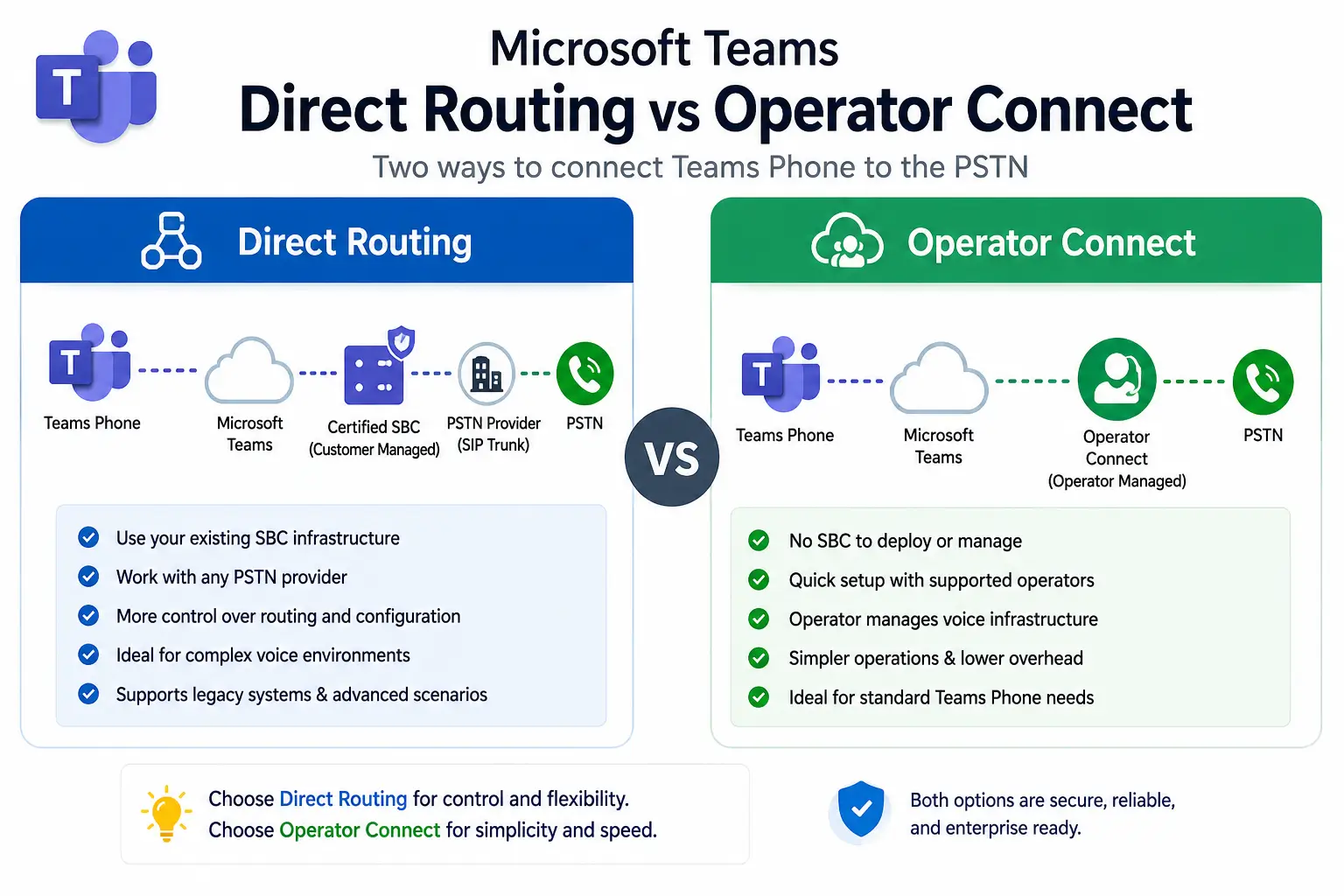
• Direct Routing: Customer/Partner-owned SBC | Custom SIP Trunks | On-Prem Integration
• Operator Connect: Carrier-owned SBC | Azure Peering (MAPS) | Admin Center API Provisioning
• Teams Phone Mobile: SIM-Level IMS Core Integration | Single Number for Mobile & Teams
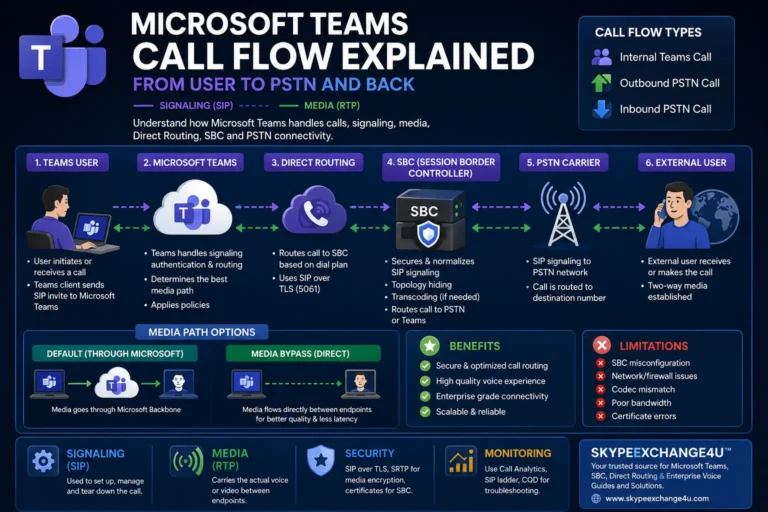
High-Level Architecture & Packet Flow Comparison
──(TLS/SRTP)──►
Microsoft Cloud
──(Public mTLS)──►
Customer/Partner SBC
──(SIP)──►
Any Carrier / PBX
──(TLS/SRTP)──►
Microsoft Cloud
──(MAPS Private Peering)──►
Operator SBC Infrastructure
──(5G/LTE IMS)──►
Mobile Telco Core
──(Direct Interconnect)──►
Microsoft Cloud
The 12-Point Enterprise Scorecard
This comparison matrix evaluates each deployment model across critical architectural and operational parameters:
| Evaluation Criteria | Direct Routing | Operator Connect | Teams Phone Mobile |
|---|---|---|---|
| SBC Ownership | Customer or MSP managed | Carrier managed (Zero hardware) | Carrier managed (Zero hardware) |
| Number Provisioning | PowerShell / Third-party portal | Teams Admin Center (1-Click API) | Teams Admin Center + Wireless SIM |
| Legacy PBX / Analog Integration | Full support (SIP, FXS/FXO, T.38) | None (Cloud-only) | None (Mobile/Cloud-only) |
| Network Transport Quality | Public Internet or ExpressRoute | MAPS (Private Azure Peering) | Carrier Cellular Core + MAPS |
| Branch Survivability (SBA) | Yes (Hardware SBA on SBC) | No (Requires active Internet) | Native (Fails over to cellular network) |
| Carrier Contract Flexibility | Any SIP trunk worldwide | Selected Microsoft OC partners | Selected national wireless operators |
| Billing Structure | Trunk-based / Concurrent channels | Per-user monthly subscription | Bundled mobile voice/data plan |
| Native Mobile Integration | Teams App only (VoIP client) | Teams App only (VoIP client) | Native iOS/Android dialer (No app required) |
| Compliance Call Recording | Via SBC or Teams Graph API | Teams Policy-based (Graph API) | Captures both Teams & cellular calls |
| Presence Synchronization | Teams calls only | Teams calls only | Cellular calls sync to Teams Presence |
| E911 & Location Services | Configured in Teams + SBC | Managed dynamic location routing | Precise cellular GPS + Teams E911 |
| Maintenance Overhead | High (Certs, firmware, security) | Zero (Operator SLA) | Zero (Operator SLA) |
1. Direct Routing: When You Must Have It
Direct Routing is not obsolete—it remains the indispensable workhorse for enterprise environments with complex legacy boundaries. If your environment requires any of the following, Direct Routing is your only viable path:
Mandatory Use Cases for Direct Routing:
- Third-Party PBX Coexistence: You run Cisco Unified Communications Manager (CUCM), Avaya Aura, or Mitel and need bi-directional extension-to-extension dialing between Teams users and legacy PBX handsets during a multi-year migration.
- Analog Telephony & Specialized Endpoints: Warehouses, manufacturing floors, and healthcare facilities with analog overhead paging amplifiers, elevator emergency phones, door strike access intercoms, and T.38 fax machines connected via FXS gateways.
- Survivable Branch Appliances (SBA): Critical sites (e.g., hospitals, 911 dispatch, oil platforms) where branch voice must stay operational even during a total WAN/Internet outage. An AudioCodes or Ribbon SBC with an embedded SBA handles local PSTN calling autonomously.
- Favorable Existing Carrier Contracts: Large organizations with multi-year commits on high-volume SIP trunking channels. Paying per-concurrent-channel rather than per-user-per-month often results in substantial annual cost savings.
Configuration Reference: For deploying and configuring an SBC for this model, see our complete guide on AudioCodes Mediant SBC Configuration for Teams Direct Routing.
2. Operator Connect: The Enterprise Sweet Spot
Operator Connect represents the modern standard for standard enterprise knowledge workers. It removes the SBC from your datacenter without sacrificing the reliability of Tier-1 carriers.
Why Operator Connect Has Replaced 60% of Direct Routing Deployments:
- Direct Peering via MAPS: Unlike standard Direct Routing over the public internet, Operator Connect partners (e.g., AT&T, Verizon, Lumen, NTT, Gamma, BT) connect directly to Microsoft via the Microsoft Azure Peering Service (MAPS). This provides deterministic packet routing, sub-millisecond jitter, and dedicated carrier SLAs.
- Turnkey Portal Provisioning: Numbers appear directly in the Teams Admin Center. Administrators assign DIDs to users, Auto Attendants, and Call Queues with a single click in the GUI—no PowerShell scripts, voice routes, or gateway definitions required.
- Zero SBC Lifecycle Overhead: No public TLS certificates to renew, no firmware updates to test, and no hardware obsolescence. The carrier assumes full operational liability for voice infrastructure.
3. Teams Phone Mobile: The True Mobile-First Architecture
Teams Phone Mobile (supported by carriers like Rogers, Telia, Verizon, Vodafone, and Swisscom) is not simply running the Teams app on iOS or Android. It is a SIM-level integration into the mobile carrier’s IP Multimedia Subsystem (IMS) core.
How Teams Phone Mobile Transforms Enterprise Mobility:
- Single Business Identity: The employee’s mobile SIM card and their Microsoft Teams client share the exact same telephone number. When a customer calls the employee’s desk line, both their desk phone, PC Teams client, and native cellular phone ring simultaneously.
- Native Dialer Calling: Users do not need to open the Teams app to place enterprise calls. Calling from the phone’s native dialer routes the call through the carrier’s corporate trunk, presenting the employee’s corporate caller ID while preserving compliance recording.
- Bi-Directional Presence Sync: When a user answers a call on their native mobile phone while driving, their Teams presence on desktop automatically flips to “In a call”, preventing colleagues from interrupting them.
- Cellular Failover Survivability: If internet connectivity fails at a corporate office, employees continue placing and receiving external calls seamlessly via carrier cellular towers.
Financial TCO Comparison: Real-World Math
Understanding which model is cheaper depends on user profile and calling habits:
| Organization Profile | Most Cost-Effective Model | Financial Justification |
|---|---|---|
| Large Enterprise (5,000+ users, low individual outbound usage) | Direct Routing | Paying for 300 shared SIP trunk channels ($20/channel) costs $6,000/mo. Paying $6/user/mo for Operator Connect costs $30,000/mo. Direct Routing saves over $280,000 annually. |
| Mid-Market (250–1,500 corporate knowledge workers) | Operator Connect | Eliminating SBC capital expense, redundant data centers, public TLS certificates, and dedicated telecom engineering salaries makes Operator Connect significantly cheaper in total TCO. |
| Field Services / Mobile Workforce (Executives, Sales, Technicians) | Teams Phone Mobile | Eliminates the cost of paying for separate corporate mobile lines + separate Teams desk phone licenses. Single monthly plan consolidates mobile and cloud telephony. |
The Real-World Enterprise Blueprint: The Hybrid Strategy
Modern global organizations rarely select a single model. The standard architectural blueprint for global Fortune 500 enterprises is a hybrid matrix:
- Headquarters & Manufacturing Plants: Direct Routing via localized AudioCodes/Ribbon SBCs with Survivable Branch Appliances (SBA) and analog gateways for overhead paging, gate access, and manufacturing floor intercoms.
- Corporate Knowledge Workers & Regional Offices: Operator Connect for turnkey provisioning, carrier MAPS peering, and zero administrative overhead.
- Field Sales, Leadership & Mobile Staff: Teams Phone Mobile for SIM-level cellular identity and unified mobile call recording.
Frequently Asked Questions (FAQ)
Can I mix Direct Routing and Operator Connect in the same Microsoft 365 tenant?
Yes. Microsoft Teams fully supports coexistence. You can assign Operator Connect numbers to corporate office workers while assigning Direct Routing numbers (connected via your on-premises SBC) to warehouse staff or users who require analog PBX extension dialing.
Does Operator Connect require any on-premises hardware or SBCs?
No. With Operator Connect, the Session Border Controllers are owned, hosted, and maintained entirely by the telecommunications carrier. The carrier connects directly to Microsoft’s cloud infrastructure via the Microsoft Azure Peering Service (MAPS).
What is the primary difference between the Teams Mobile App and Teams Phone Mobile?
The standard Teams mobile app is a VoIP application running over LTE/Wi-Fi data. In contrast, Teams Phone Mobile is integrated directly into the smartphone’s physical or eSIM card at the mobile operator’s cellular core, allowing users to place business calls using their phone’s native iOS or Android dialer with integrated compliance recording and presence synchronization.
Related Microsoft Teams Enterprise Voice Guides
- AudioCodes Mediant SBC Configuration for Teams Direct Routing: Tenant to First Call
- AudioCodes vs Ribbon vs anynode: Best SBC for Teams Direct Routing
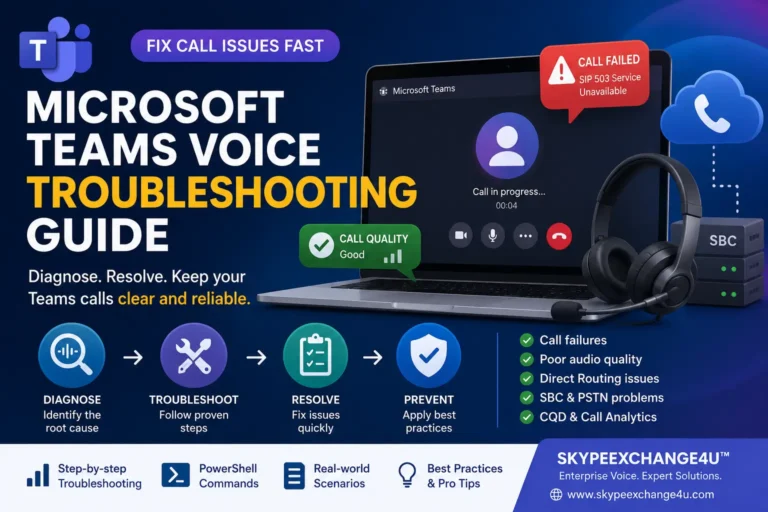
- Teams Direct Routing SIP 503 Service Unavailable: Troubleshooting SBC & Trunk Outages
- Teams Direct Routing SIP 403 Forbidden: Packet Traces, FQDN Gotchas & Carrier Fixes
- Teams Direct Routing 488 Not Acceptable Here: SDP, Codecs, SRTP
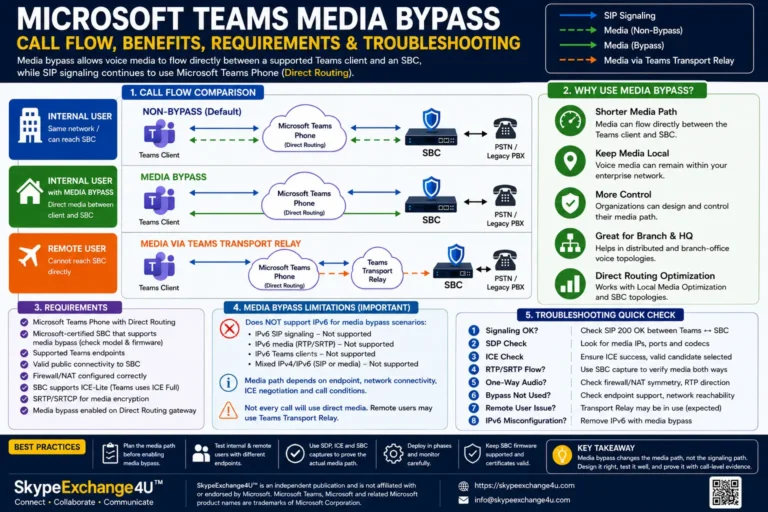
- Media Bypass vs Local Media Optimization: When Teams Skips the SBC
- Teams Dial Plan vs Voice Routing Policy: Normalization Is Not Routing